v0.6.0RetirePostman, Bruno, Insomnia, Charles, Fiddler, WireMock, Mockoon, Mailpit, your hosts file
Every API tool you juggle. One app.
An API client, proxy, mock server, traffic capture and mail inbox sharing one workspace. Native, free, and on your machine. No account. No cloud. No seat limits.
> irm https://bifurc.app/install.ps1 | iexWindows · macOS · Linux — free, every feature included
- REST✦
- GraphQL✦
- gRPC✦
- SOAP✦
- WebSocket✦
- SSE✦
- Socket.IO✦
- MCP✦
- Webhooks✦
- SMTP✦
Your setup today
Six tools. Six installs. Six places your data lives.
Postman · Insomnia · Bruno
Charles · Fiddler
WireMock · Mockoon
Mailpit · MailHog
nginx · Caddy · hosts file
k6 · JMeter
Or one.
- API client
- Proxy
- Mocks
- Capture
- Load runs
One workspace of plain files in git. The request you just watched fail is one click from being replayed, saved or mocked.
Why it's different
Postman sends requests. Bifurc sits in the path.
An API client only sees the calls you make by hand. Bifurc is also the proxy your app's traffic runs through, so it can name, watch, mock, break and replay the real thing.
01 — Name it
Give every service a real name
api.localhost goes to :3000, web.localhost to :5173, with HTTPS if you want it. Names ending in .localhost already point at your machine, so there's no hosts file to edit.
200 OK34 ms · from api :300002 — Watch it
See every call as it happens
Traffic from your browser, your app or the browser extension lands in Capture with headers, bodies and timing. Turn any captured call into a saved request or a mock.
200 OK34 ms · captured03 — Mock it
Mock it without touching a URL
Bifurc answers instead of the real service, or changes only the status, the body or the timing. Your app keeps calling the same URL. Turn the mock off and it's real again.
200 OK2 ms · mocked, same URL04 — Break it
Break it on purpose
Add latency, or fail 30% of calls with a 503, and find out what your retries and error screens really do before your users do.
503 Service Unavailablefault on 30% of calls05 — Replay it
Record once, replay offline
Record real answers into a cassette and replay them when the service is down, rate-limited, or you're on a plane.
200 OK1 ms · replayed from cassette
Head to head
Everything they do. Then some.
REST, GraphQL, gRPC, WebSocket, SSE, Socket.IO, MCP and SOAP, with scripts, tests, environments and vaults. Then the proxy, the mocks and the inbox that an API client never had.
Moving over? Paste a cURL command and Bifurc fills in the request.
| Feature | Bifurc | Postman | Bruno |
|---|---|---|---|
| Free for your whole team | 1 user on free | ||
| Every feature with no account | |||
| Your work as files in git | |||
| Native app, not Electron | Rust | ||
| Custom *.localhost domains | |||
| Capture your app's traffic | |||
| Mocks with no URL change | |||
| Fault injection, record & replay | |||
| Local mail inbox | |||
| SOAP requests built from a WSDL |
Command line
Your terminal. Your CI. Your agent.
Same engine as the app
Every saved request, mock and flow, with the same verbs: list, show, create, update and run.
Exit codes that mean something
One line per result, JSON when you ask, and a code that says what failed. Drop it straight into CI.
Guardrails for AI agents
bifurc --mcp exposes it all as an MCP server. A policy file blocks calls, or holds them until you approve.
In the box
And everything else your localhost needs.
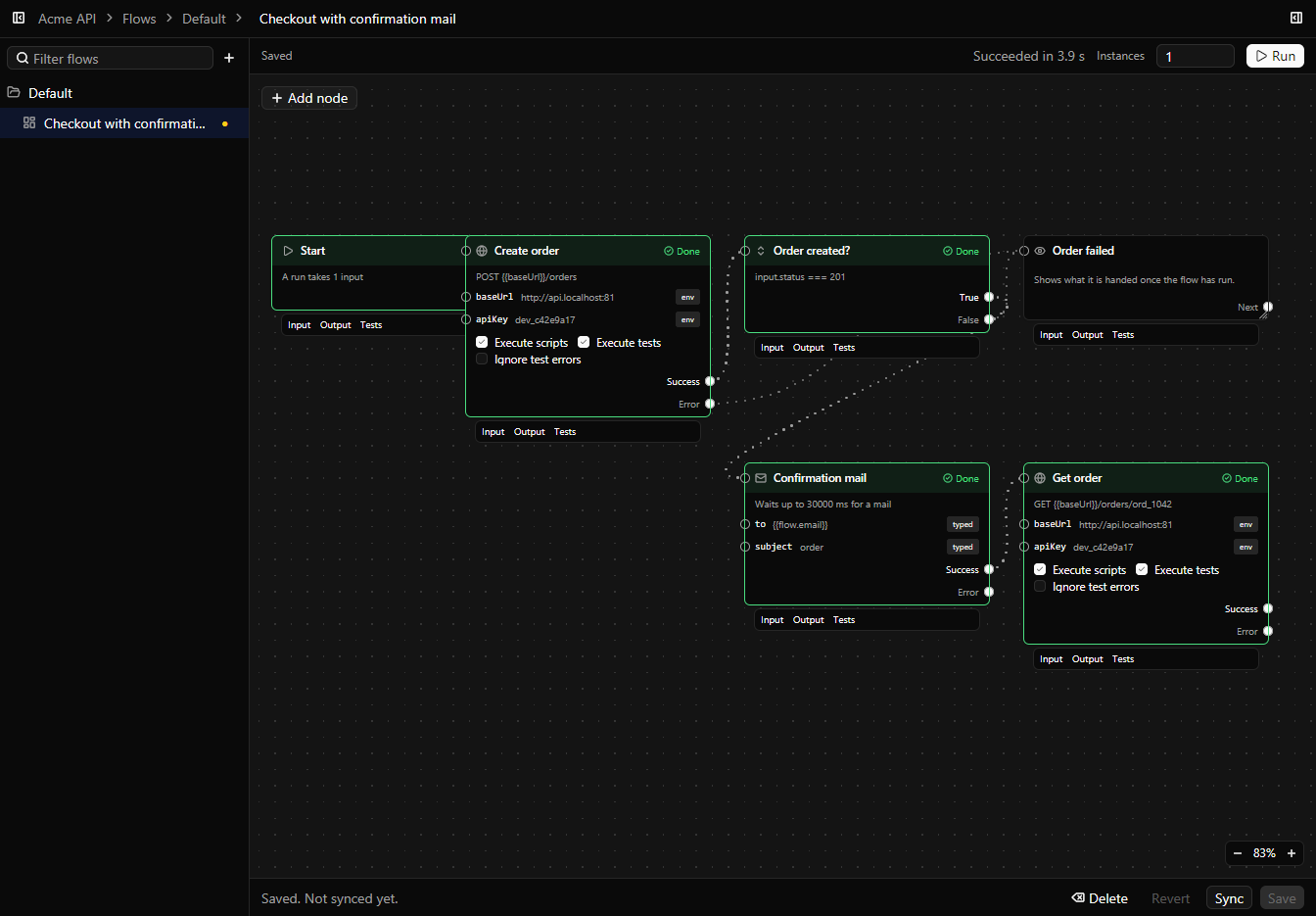
Flows that chain requests on a canvas, signed webhooks, encrypted vaults, a health bar for your services, and a workspace you can diff, restore and push to your own repo.
Your traffic never leaves your machine.
Workspaces, captured traffic, certificates and secrets stay on your computer unless you sync a workspace to your own repository. Bifurc does send anonymous usage analytics. They are on by default once you accept the terms, and one switch in Settings, under About, turns them off. The details are in the privacy policy and the terms of use.
What analytics send
- What kind of thing you did: “request sent”, “mock created”
- Its shape: request type, HTTP method, counts, yes/no flags
- Bifurc version, operating system and CPU architecture
- Where in Bifurc's own code it crashed or failed
- A random install ID, derived from nothing
What they never send
- Names, URLs, hosts, paths or patterns
- Headers, bodies, scripts, variables or secrets
- Captured or proxied traffic
- Your GitHub account, token or repositories
Make room in your dock.
The API client, the debugging proxy, the mock server and the mail catcher, in one free app. Map your first service in a minute; the rest is already there.
Free · No account · Windows, macOS and Linux